
EditorView
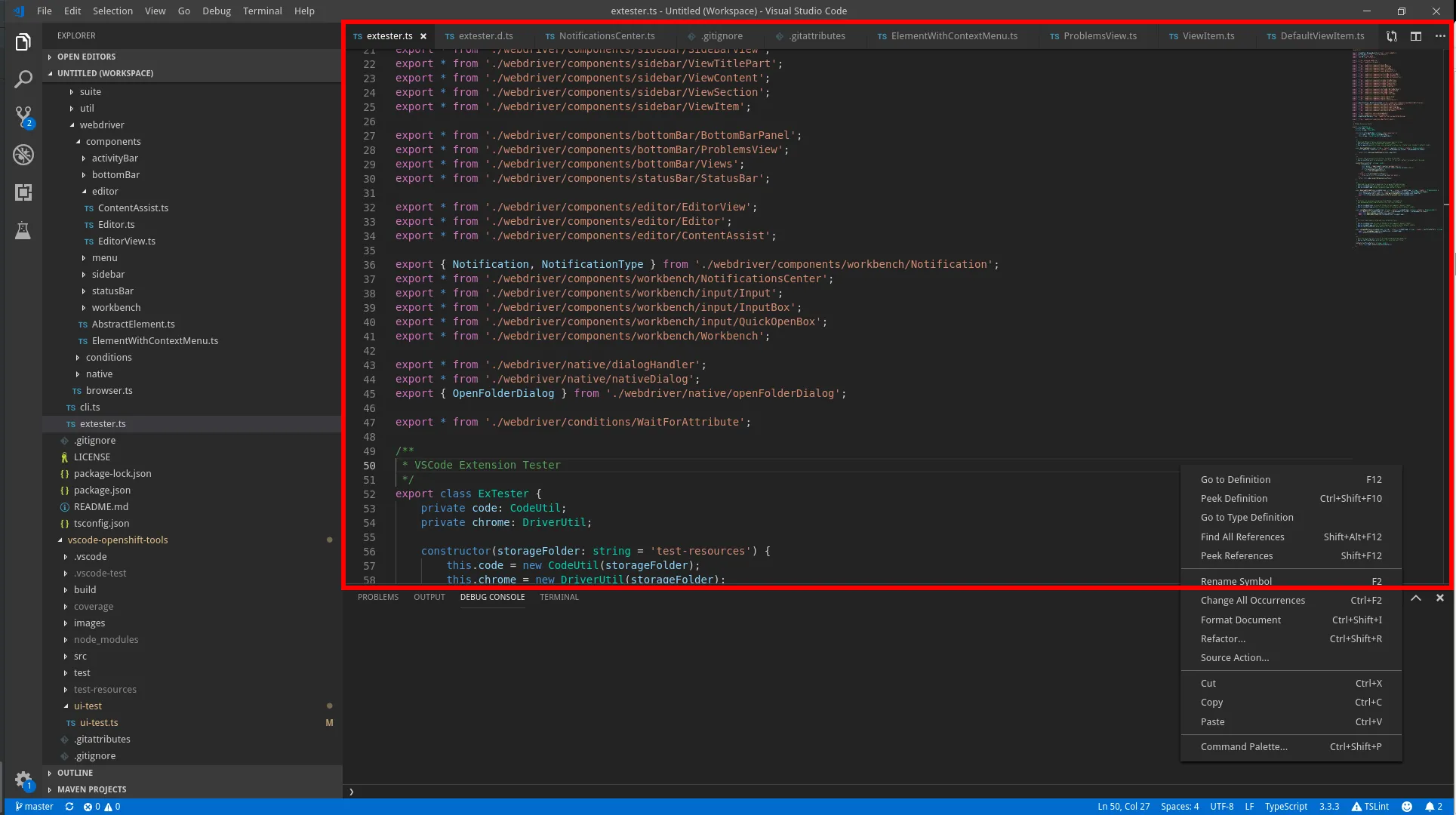
Lookup
Section titled “Lookup”import { EditorView } from 'vscode-extension-tester';...const editorView = new EditorView();Select an Editor Tab
Section titled “Select an Editor Tab”// open editor tab by titleconst editor = await editorView.openEditor("package.json");Closing Editors
Section titled “Closing Editors”// close an editor tab by titleawait editorView.closeEditor("package.json");// close all open tabsawait editorView.closeAllEditors();Warning: if a closing tab prompts to save changes, closeAllEditors clicks “Don’t Save” — unsaved changes are silently discarded.
Retrieve Open Tab Titles
Section titled “Retrieve Open Tab Titles”const titles = await editorView.getOpenEditorTitles();Editor Actions
Section titled “Editor Actions”// find an editor action button by title, returns EditorAction | undefinedconst button = await editorView.getAction("Open Changes");// a predicate function can be used instead of a titleconst buttonByPredicate = await editorView.getAction(async (action) => (await action.getTitle()) === "Open Changes");// also works for multiple editor groups, select the group by index, starting with 0 from the left// the last argument is an optional timeout in ms (default 5000)const buttonFromSecondGroup = await editorView.getAction("More Actions...", 1);// get all visible action buttons, again you may specify a group index, default is 0const buttons = await editorView.getActions();Editor Actions - Dropdown
Section titled “Editor Actions - Dropdown”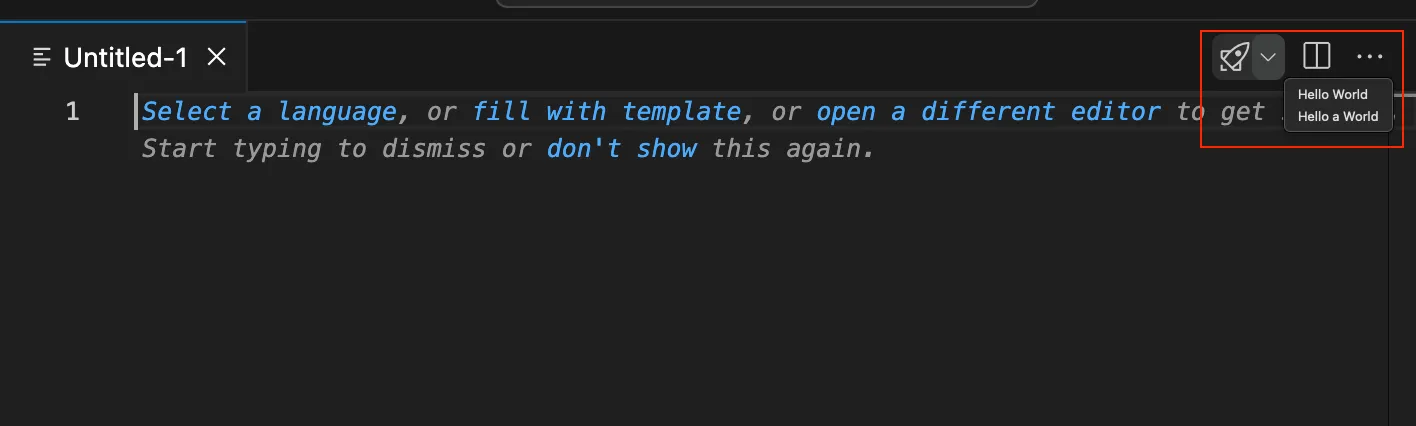
Note: Be aware that it is not supported on macOS. For more information see Known Issues.
// find an editor action button by titleconst action = (await editorView.getAction("Run or Debug...")) as EditorActionDropdown;// open the dropdown for that buttonconst menu = await action.open();// select an item from an opened context menuawait menu.select("Hello a World");Editor Groups
Section titled “Editor Groups”By default, all EditorView methods work with the first (left-most) editor group, except closeAllEditors and getOpenEditorTitles which by default work across all groups. You can use indices to target specific editor groups, or you can get handles to directly work with EditorGroup objects.
EditorView Actions on Editor Groups
Section titled “EditorView Actions on Editor Groups”// open editor in the second group (from the left, using a zero-based index)const editor = await editorView.openEditor("package.json", 1);
// close editor in the second groupawait editorView.closeEditor("package.json", 1);
// close all editors in the second group (and the whole group)await editorView.closeAllEditors(1);
// get open editor titles for the second groupconst titles = await editorView.getOpenEditorTitles(1);Retrieve Handles for the Editor Groups
Section titled “Retrieve Handles for the Editor Groups”Instead of working in context of the whole editor view, you can get a handle for a particular editor group. The EditorGroup object then exposes the same set of methods as EditorView (without the group retrieval though).
// get the handle for the second groupconst group = await editorView.getEditorGroup(1);
// get handles for all editor groups in an arrayconst groups = await editorView.getEditorGroups();
Editor Tabs
Section titled “Editor Tabs”Another way to handle open editors is using the editor tabs. For that we have the EditorTab page object.
Lookup
Section titled “Lookup”There are two basic ways to get EditorTab objects, through EditorView/EditorGroup:
// using EditorView, the same principle applies to EditorGroup// get tab by title from the first groupconst tab = await editorView.getTabByTitle("Index.d.ts");// get all open tabs in a listconst tabs = await editorView.getOpenTabs();// get the active tab (or undefined if none is active)const active = await editorView.getActiveTab();From an Editor instance:
const editor = await editorView.openEditor("Index.d.ts");const etab = await editor.getTab();Actions
Section titled “Actions”// get the tab titleconst title = await tab.getTitle();// select the tabawait tab.select();// find if the tab is currently selected (active)const selected = await tab.isSelected();// open the tab context menuconst menu = await tab.openContextMenu();