
ScmView
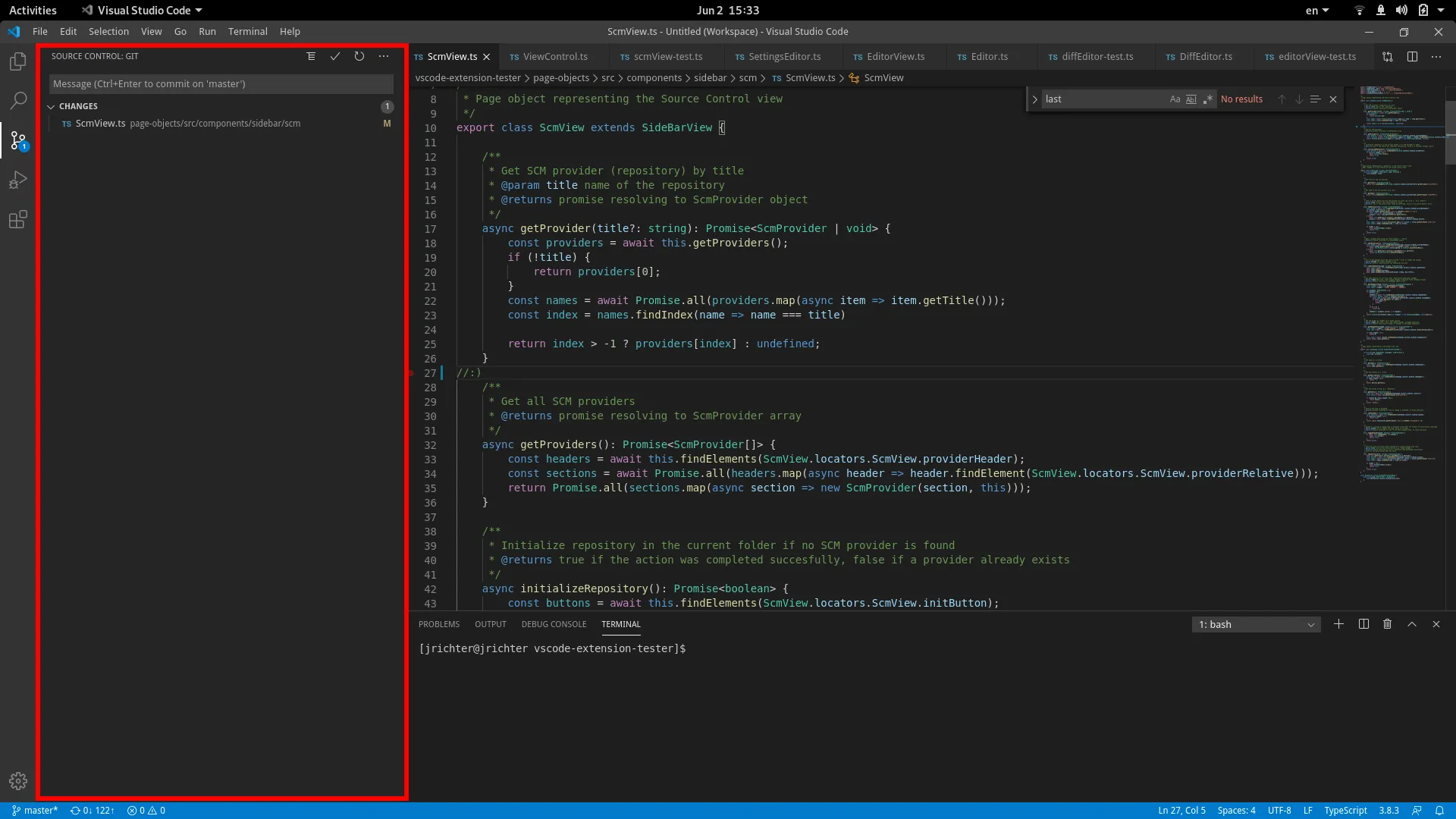
Lookup
Section titled “Lookup”The best way to open the view is to use the activity bar on the left. It might take a second for the view to initialize, so make sure to account for it.
view = (await (await new ActivityBar().getViewControl('Source Control'))?.openView()) as ScmView;Actions
Section titled “Actions”In an SCM view we can do two things: initialize a repository if none exists, or retrieve the scm providers open in the current workspace:
// get a provider (repository) by titleconst provider = await view.getProvider("vscode-extension-tester");// get all providers (useful if you have multiple repositories open)const providers = await view.getProviders();// initialize repository if none is present in current workspaceawait view.initializeRepository();Working with SCM Providers
Section titled “Working with SCM Providers”Each ScmProvider object corresponds to a section in the ScmView.
Info Retrieval
Section titled “Info Retrieval”// get the titleconst title = await provider.getTitle();// get the type of scm (e.g. git or svn)const type = await provider.getType();// get the number of changed files (unstaged by default, pass true for staged)const changes = await provider.getChangeCount();const stagedChanges = await provider.getChangeCount(true);Basic Actions
Section titled “Basic Actions”There are several buttons to push and an input field to fill, which you can do as follows:
// click an action button (the buttons are either on the title part on the top for a single repo, or next to the provider title for multiple repos). For instance, refresh:await provider.takeAction("Refresh");
// click the `More Actions` button to open a context menu with all the available commandsconst contextmenu = await provider.openMoreActions();
// Fill in the commit message and make a commitawait provider.commitChanges("Commit message");
Handling Changes
Section titled “Handling Changes”The displayed changes are represented by the ScmChange page object. You can retrieve them from the ScmProvider:
// get unstaged changesconst changes = await provider.getChanges();
// get staged changesconst staged = await provider.getChanges(true);
Working with SCM Changes
Section titled “Working with SCM Changes”Lets look at how to handle the tree items in the SCM View, using ScmChange page objects.
const change = changes[0];
// get the label (file name)const label = await change.getLabel();// get description (if available, e.g. path in hierarchical display)const description = await change.getDescription();// get git status (e.g. 'Modified', 'Untracked', etc.)const status = await change.getStatus();// find if the item is expanded (only makes sense in hierarchical display)const expanded = await change.isExpanded();
// toggle expand state to whichever you like, works only for folders in hierarchical displayawait change.toggleExpand(true); // or false to collapse it :)
// use on of the action buttons for the item, e.g. stageawait change.takeAction("Stage Changes");