
Setting
Lookup
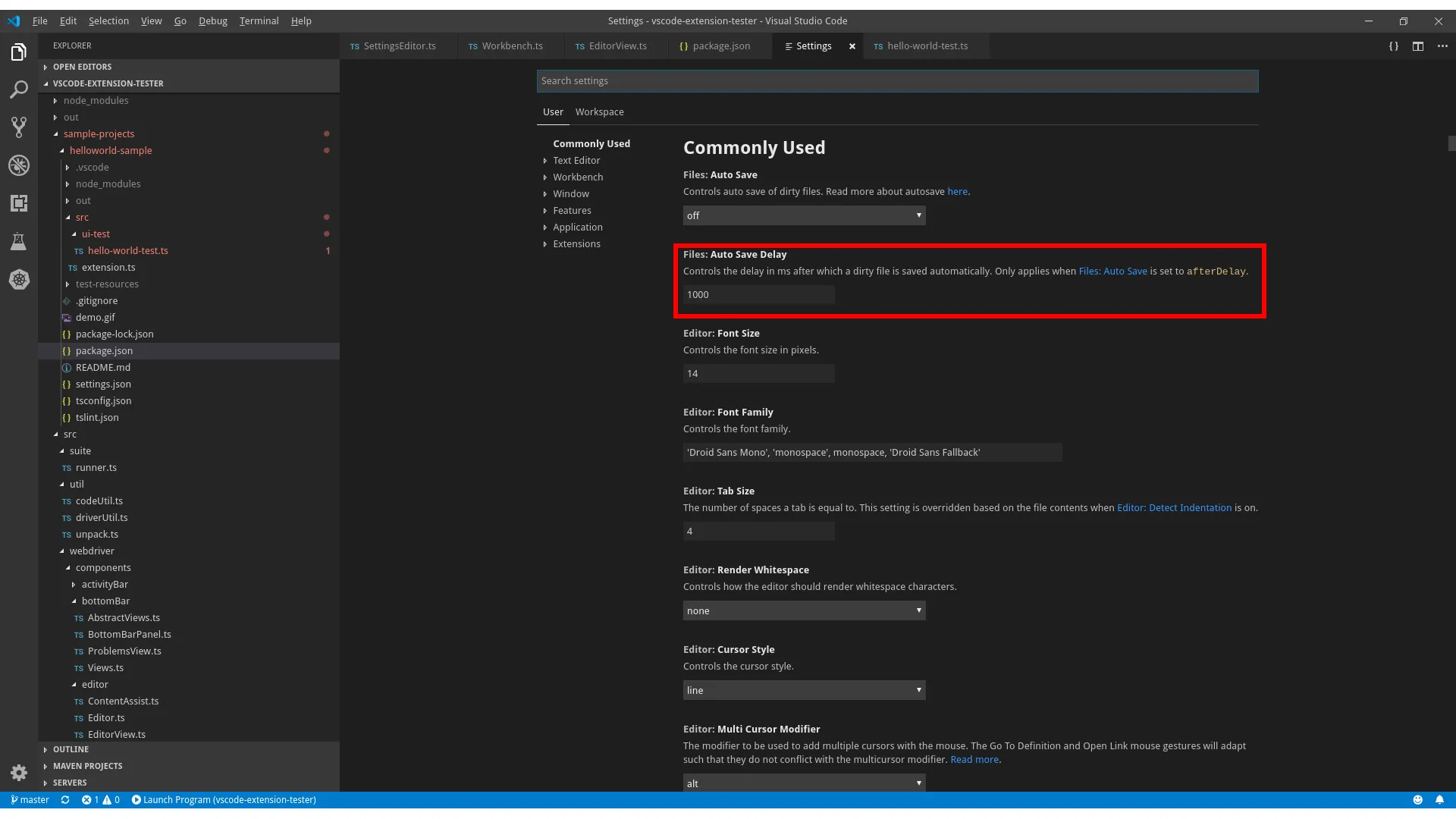
Section titled “Lookup”Settings can be located through a SettingsEditor object:
import { Workbench } from 'vscode-extension-tester';...// open the settings editor and get a handle on itconst settingsEditor = await new Workbench().openSettings();
// look for a setting named 'Auto Save' under 'Files' categoryconst setting = await settingsEditor.findSetting('Auto Save', 'Files');
Retrieve Information
Section titled “Retrieve Information”// get the titleconst title = await setting.getTitle();
// get the categoryconst category = await setting.getCategory();
// get the descriptionconst description = await setting.getDescription();Handling Values
Section titled “Handling Values”All setting types share the same functions to manipulate their values, however the value types and possible options vary between setting types.
// generic value retrievalconst value = await setting.getValue();
// generic setting of a valueawait setting.setValue("off");
Setting Value Types
Section titled “Setting Value Types”Currently, there are five supported types of setting values: text box, combo box, checkbox, link and array of strings.
- Text box allows putting in an arbitrary string value, though there might be value checks afterwards that are not handled by this class.
- Combo box only allows inputs from its range of options. If you cast the setting to
ComboSetting, you will be able to retrieve these options by calling thegetValuesmethod. - Check box only accepts boolean values, other values are ignored
- Link does not have any value,
getValueandsetValuethrow an error. Instead, casting the object toLinkSettingwill allow you to call theopenLinkmethod, which will open settings.json file in a text editor. - Array settings are supported for type
string. Each row of array is represented byArraySettingItem.
Array Settings
Section titled “Array Settings”Cast the setting to ArraySetting to manipulate the individual rows, each represented by an ArraySettingItem.
const arraySetting = (await settingsEditor.findSetting('Exclude', 'Files')) as ArraySetting;
// add a new empty row and get its handleconst newItem = await arraySetting.add();await newItem.setValue('**/out');await newItem.ok();
// open an existing row for editing (by value or index), returns undefined if not foundconst editItem = await arraySetting.edit('**/out');
// get all rows / values, or select a row (by value or index)const items = await arraySetting.getItems();const values = await arraySetting.getValues();await arraySetting.select(0);
// ArraySettingItem actionsconst item = items[0];const value = await item.getValue();await item.select();await item.remove();