
ExtensionsViewSection
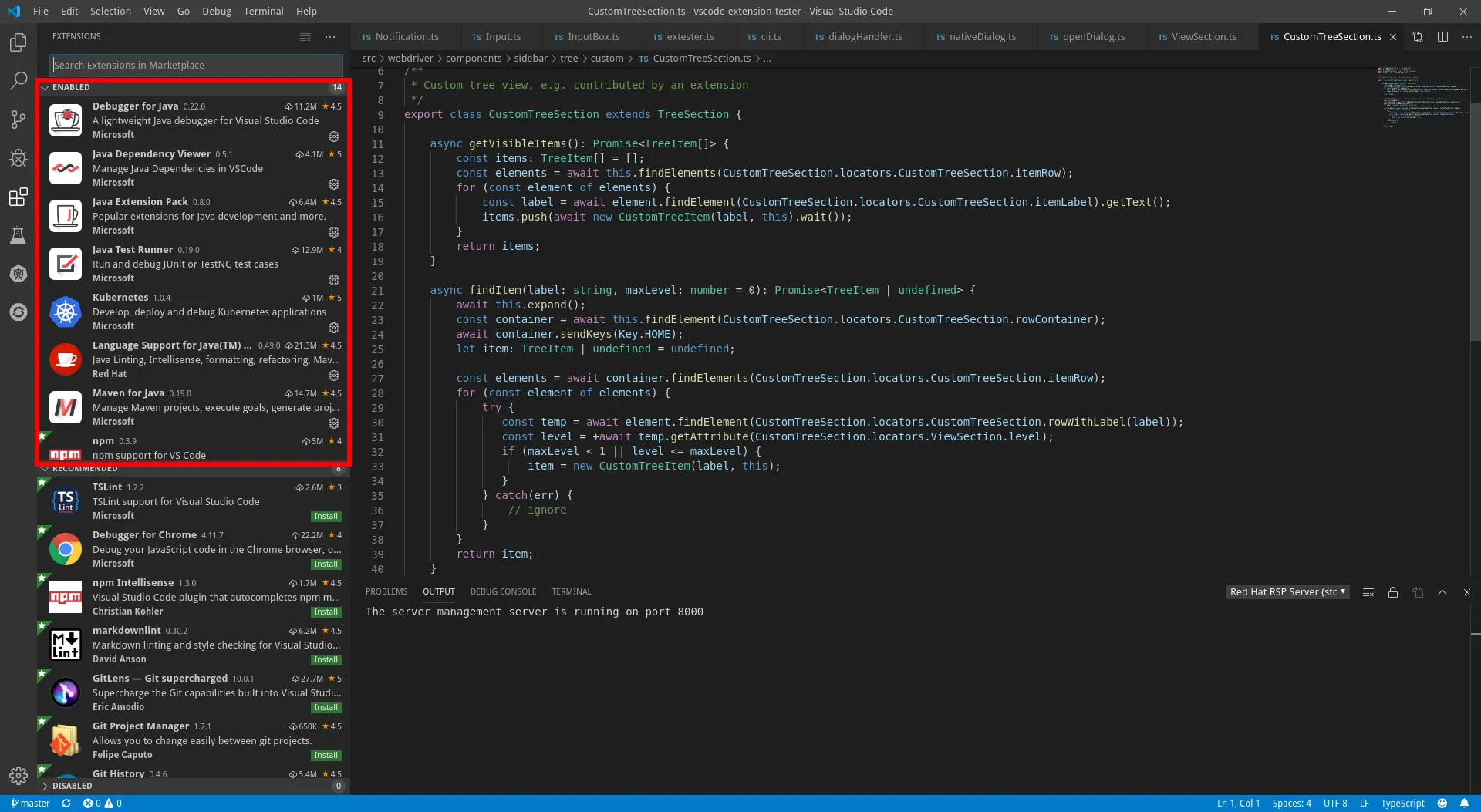
Section in the Extensions view. Unlike the other section types, extension sections behave differently.
Lookup
Section titled “Lookup”Get a section handle from an open side bar.
import { SideBarView, ExtensionsViewSection } from 'vscode-extension-tester';...// in this case the cast is required if you wish to use all the available functionalityconst section = await new SideBarView().getContent().getSection('enabled') as ExtensionsViewSection;Finding Items
Section titled “Finding Items”Item lookup behaves in a completely different way to the tree sections. In this case it is based on the search bar on top of the view and as such is able to find items beyond the initial section. In this case you will need to manually clear the search bar in order to gain back access to the original section.
// get all visible items inside the sectionconst items = await section.getVisibleItems();
// find an extension anywhere (including the marketplace)const item = await section.findItem("npm");// clear the search bar so the original section reappearsawait section.clearSearch();
// find an extension in the installed sectionconst item2 = await section.findItem("@installed java");// clear the search bar so the original section reappearsawait section.clearSearch();
// open an item in the editor viewawait section.openItem("@installed java");
ExtensionsViewItem
Section titled “ExtensionsViewItem”
Item representing an extension in the extensions view.
Get information about the extension
Section titled “Get information about the extension”// get titleconst title = await item.getTitle();
// get versionconst version = await item.getVersion();
// get authorconst author = await item.getAuthor();
// get descriptionconst description = await item.getDescription();
// find if it is installedconst installed = await item.isInstalled();Operations
Section titled “Operations”// manage the item - open its context menuconst menu = await item.manage();
// install the extensionawait item.install();